


Does an NFC Phone Case Drain Battery? The Real Answer
Table of Contents
- Does an NFC Phone Case Drain Your Battery? The Short Answer
- How NFC Works, and Where the Power Actually Goes
- Does Leaving NFC On Use Battery? Idle vs Active Draw
- Why a Battery-Free E Ink Phone Case Changes the Maths
- NFC Phone Case Interference: Cases, Magnets and Scan Range
- Battery Cases, Powered Accessories and Contactless Payments
- How to Diagnose Real Battery Drain With Measurable Checks
- Frequently Asked Questions
Last Updated: October 21, 2026
Does an NFC Phone Case Drain Your Battery? The Short Answer
No, an NFC phone case does not drain your phone's battery. The E Ink display holds its image without electricity.

That matters because the worry is reasonable. Anything that talks to your phone sounds like it must cost something. Below, we explain where NFC power actually goes, how idle and active use differ, and how to test your own phone if the battery still feels flat.
NFC, or near-field communication, is a short-range wireless standard that lets two devices exchange small amounts of data when they are a few centimetres apart. It is the same technology behind tap-and-go card payments.
How NFC Works, and Where the Power Actually Goes
NFC runs on a magnetic field, not a radio broadcast. A reader generates an alternating magnetic field, and a passive tag inside that field harvests a tiny amount of energy to reply. The tag has no battery of its own.
That distinction is the whole story. Your phone, when it acts as the reader, powers the field for a fraction of a second per scan.
The reader and the tag: two very different power stories
When you tap a tag, your phone is the reader. It switches on its NFC antenna, sends a burst of energy, reads the reply, and stops. The whole exchange is short.
A passive tag, meanwhile, has nothing to charge. It wakes up, answers, and goes back to sleep. This is why NFC tags on posters and product labels last for years with no maintenance.
An NFC phone case works the same way. The case holds a passive tag and an E Ink panel. Your phone writes an image to it in one brief tap, then the case keeps that image with zero power.

Does Leaving NFC On Use Battery? Idle vs Active Draw
Leaving NFC enabled costs very little. In idle mode, the phone keeps the NFC controller listening at a low level, and the drain is small enough that most people never notice it. Active use is different: each scan or payment briefly draws more.
Think of it as a light switch versus a light left on. Idle NFC is the switch, sitting ready. A scan is the bulb, on for a moment.
If you want to be careful, here is what helps:
- Turn NFC off when you will not use it for days.
- Keep an eye on the battery settings screen for any app with high background use.
- Remember that a case with no battery cannot appear on that list.
NFC next to Wi-Fi and mobile data
Compare the three and the ranking is clear. Wi-Fi and mobile data run radios for long stretches and move large amounts of data. NFC runs for seconds and moves bytes.
A phone holding a mobile signal in a weak area will burn far more power than NFC ever will. So if your battery is dropping fast, look at signal strength and screen time before you blame the case.
Why a Battery-Free E Ink Phone Case Changes the Maths
E Ink is the reason a changeable case can exist without a battery. The display uses microcapsules of pigment that hold their position once set. Power is only needed to change the image, never to keep it.
That is the opposite of a phone screen, which must refresh constantly to stay lit. An E Ink panel showing a photo uses nothing until you tap a new one.
Our NFC E Ink Case for iPhone Pro and Pro Max at $63.90 works exactly this way. You pick an image in the companion app, hold your phone to the case, and NFC sends it across. Then the image stays put.
NFC Phone Case Interference: Cases, Magnets and Scan Range
Here is where cases do matter, just not for battery. Thick metal, strong magnets and bulky designs can block the NFC signal, which shortens scan range or stops a tap from registering. A case can affect reliability without touching power draw.
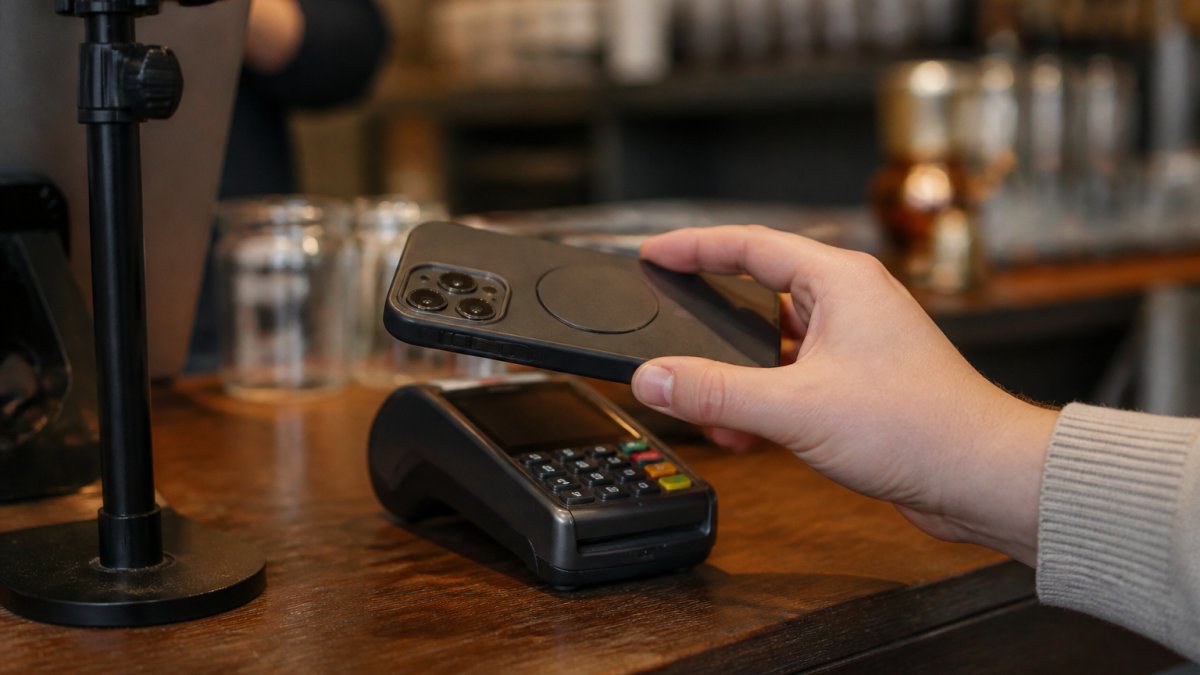
The single most useful thing you can do is find your phone's NFC antenna. It is not in the same place on every model.
Materials, thickness and antenna placement
A case interferes with NFC in three main ways: it puts metal over the coil, it puts a strong magnet near the coil, or it pushes the phone so far from the reader that the field is too weak to power the tag.
Watch for these:
Round E Ink Display Case for iPhone 17 & 18 Series – Tap to Change Your Picture →
- Metal plates for magnetic car mounts, which sit right where the antenna lives.
- Magnetic wallets with strong magnets close to the coil.
- Very thick cases that push the phone too far from a reader.
- Metal-backed or shielded cases that wrap the coil in conductive material.
Case thickness matters more than most people expect. A slim TPU or leather case of a couple of millimetres is rarely a problem. A rugged case with a metal frame, a built-in kickstand plate or a card slot directly over the coil is the usual offender. If a tap works with the case off but fails with it on, the case is the cause.
A simple test procedure
You can isolate a case problem in a few minutes without any special tools:
- Confirm the phone's NFC antenna location from the manual or support site.
- Tap a known-good tag or payment terminal with the case on and note whether it registers first time.
- Remove the case and repeat the same tap in the same spot.
- If the bare phone works and the cased phone does not, the case is interfering.
- If both fail, the problem is the phone, the tag or the terminal, not the case.
Repeat the test at a couple of distances and angles. NFC range is only a few centimetres, so a case that adds a millimetre or two can be the difference between a clean tap and a failed one.
Our own cases are built with the antenna in mind, and our Sydney-based team can talk you through placement if a tap will not take.

Battery Cases, Powered Accessories and Contactless Payments
A battery case is a different product entirely. It contains a cell and charges your phone, so of course it affects battery behaviour. A passive NFC case contains no cell at all.
This is the mix-up behind most of the worry. People hear "case" and "NFC" and picture a powered accessory. The two are not the same.
Contactless payments are safe either way. Your bank card details are protected by tokenisation, and a payment only happens when you deliberately hold the phone to a terminal. Leaving NFC on does not let anyone charge your card from across the room.
How to Diagnose Real Battery Drain With Measurable Checks
If your battery is genuinely draining, measure before you guess. A few simple checks will point to the real cause, and a controlled comparison will tell you whether NFC or the case has anything to do with it.
| Check | How to do it | What it tells you |
|---|---|---|
| Battery usage | Open Settings, then Battery | Shows which apps use the most power |
| Background activity | Look at the app list by time | Flags apps running when idle |
| Signal strength | Check bars in your usual spots | Weak signal drains fast |
| NFC toggle test | Turn NFC off for a day | Confirms whether NFC matters |
| Case removal test | Use the phone without the case | Rules out interference |
Run these in order. Most people find a background app or a weak signal, not the case.
Run a controlled NFC on/off comparison
A single day with NFC off proves little on its own, because your usage changes from day to day. A fairer test is to compare like with like:
- Pick two days with a similar routine, similar screen time and similar locations.
- On day one, leave NFC on and note the battery percentage at the end of the day.
- On day two, turn NFC off and repeat the same routine.
- Compare the two end-of-day figures, not the hourly dips.
If the difference is within normal day-to-day variation, NFC is not your problem. If NFC off makes a clear, repeatable difference, look at what is waking the NFC controller, such as a payment app or a tag-scanning app running in the background.
Read the battery settings properly
Open Settings, then Battery, and look at the list of apps by usage rather than the single headline percentage. The useful signals are:
- An app with high background time but low screen time, which points to background activity.
- A sudden change after an update, which often points to a software bug rather than hardware.
- A weak mobile signal in your usual spots, which forces the radio to work harder.
On most Android phones, you can also open Settings, then Connected devices, then Connection preferences, to see the NFC toggle and confirm its state. On iPhone, NFC is always on for Apple Pay and cannot be switched off, which is worth knowing before you start testing.
Rule out the case as a variable
A passive case with no cell cannot appear in the battery usage list, so if it does not show up there, it is not drawing power. The case removal test is about interference, not drain: use the phone without the case for a day and see whether taps and battery behaviour change. If nothing changes, the case is not the cause of either problem.
For official guidance on what NFC is and how it works, see Android's NFC documentation. For battery health advice, the Apple support pages on battery performance explain how usage patterns affect life. And for contactless payment safety, Moneysmart's guidance on tap-and-go payments covers what to watch for.
Frequently Asked Questions
Does an NFC phone case drain your battery?
An ordinary passive NFC phone case does not drain your battery at all. The case holds an unpowered chip and antenna that only respond when your phone's NFC reader sends a signal, so there is nothing in the case to charge or run down. The small energy involved comes from your phone during the brief moment you tap to change an image, not from the case sitting in your pocket.
Does leaving NFC on use battery when you are not tapping anything?
Leaving NFC enabled draws only a tiny trickle of power while it sits idle, because the phone is only listening for a tag nearby. Most people will not notice it in their daily battery usage screen. The bigger draws are the screen, mobile data and background apps. If you want to be certain, check your battery usage by app rather than assuming NFC is the culprit.
Can an NFC phone case interfere with tap-to-pay or scanning?
It can, but usually only if the case is thick, metal-backed or has a magnet sitting over the phone's NFC antenna. A well-made case keeps the antenna area clear, so contactless payments and tag scanning still work. If taps start failing, remove the case and test again. If payments work without it, the case is the cause, and you can reposition or replace it.
How do I check whether NFC is using too much battery?
Open your phone's battery settings and look at usage by feature or by app over the last 24 hours. Compare a day with NFC on against a day with it off, keeping your normal routine the same. A measurable difference of more than a few percent points to something else, often a background service or a software bug, rather than NFC itself.
E Ink Phone Case Battery Life: What to Expect
Inkcase vs Reinkstone: 2026 E Ink Case Comparison
Related Posts

Are Battery-Free Customizable Phone Cases Worth It?

5 Things to Know Before Buying an NFC Case for iPhone 16

How to Put Photos on an E Ink Phone Case

Inkcase vs Reinkstone: 2026 E Ink Case Comparison

E Ink Phone Case Battery Life: What to Expect

Hipoink Alternative for Creative Professionals: E Ink Cases
